CASSI Updates & Release Notes
September, 2026
Automatic Switch of User Provided Number into Phone Number on SMS Fail
If an SMS fails because of invalid number or landline the system will now record the original phone number field in the notes for you and then automatically switch the User Provided Phone Number into the default Phone field and restart the campaign.
If there is no valid User Provided Phone or that text bounces too - your assistant will update the notes and text you to manually review.
If a Lead Replies STOP the system will also check if there is a user provided number and alert you to review and check if its the same or to look for another. Review the contact notes to know what action to take.
July, 2026
Missed Premium Button & Opportunity Stage
Have your AI assistant follow up on missed premiums for you using the information you included in your policy information.
Make sure the policy details especially carrier, beneficiary, monthly premium and insurance goals (policy reason) are filled as the AI uses these details to remind your clients about why and for whom they purchased the policy in the first place to help get them back on track.
Click the Missed Premium button to start the process.
This will also move them into the Missed Premium opportunity stage so you can easily find them to remember who to call as well.
Once the missed premium is paid, you can easily now click again the button for Premium Paid and the system will move them back into the Application Approved.
June, 2026
Draft Date Reminders
Improve your first year (commission paying) retention rate with draft date reminders.
Choose between just the first draft date or 12 months of reminders.
To turn these on:
Schedule an appointment on the Draft Date Reminders calendar.
Book the appointment on the date of their ACTUAL draft date - at the time of day you want the reminder to send.
Choose between single occurrence or recurring events (default 12 months)
The reminders will go 2 DAYS before the draft date at the time you chose for the appointment.
March 28, 2026
Higher Pickup Rates + Better First Impressions
We’ve rolled out a couple of simple but high-impact upgrades designed to help you get more calls answered and improve early trust with your leads.
1). New “Digital Business Card” (sent with first message)
Leads will now receive a clean, modern business card image right after they submit their form.
What it includes:
Agent headshot (builds instant trust)
Full name + Licensed title
Agency name
Direct + Office numbers (clearly labeled)
Website
Why this matters:
Puts a real face + identity to the call
Reduces “who is this?” hesitation
Increases likelihood your call gets answered
2) Improved Contact Save (vCard)
Right after the first message, leads will receive a contact card (vCard) for the agent.
What this does:
Makes it easy for the lead to save the agent’s contact in one tap
Helps your calls come through instead of getting filtered as spam
Important:
The contact card is intentionally lean (no photo) to ensure the highest save rate across iPhone + Android.
How it works together
Lead submits form
They receive your intro text + business card image
They receive the contact card to save
You call
Result: more recognition → more pickups → more conversations
Why we made this change
Carrier filtering is getting stricter, and unknown numbers are getting ignored more often.
This update is designed to:
Increase answer rates
Reduce missed connections
Improve lead trust from the very first touch
March 2026
AI Lead Memory
Your AI assistant now has the ability to make notes for you of important points from conversations it had with leads. For example if the provided health or age information relevant to their quotes.
January 2026
Restart – New AUTO Resets When You Update a Lead
There are now separate restart buttons for older leads and new leads called Restart- New (light green) and Restart - Older (darker green). Use the restart- new button if a new leads comes in with a bad number and you change it out and want to restart the texting from the beginning.
Steps to follow:
1. Check the user provided phone number and see if its different, if it is swap it out - then hit the Restart - New button.
2. Use the phone number lookup service in the left menu to see if they have another number listed you can use instead. Also try searching in google. If you find another number call to confirm and then paste it into the Phone field and hit the Restart - New button.
3. If they are not reachable at all by phone you can send the 'Invalid Phone Number' email template/snippet letting them know that you've been unable to reach them and ask for a new number.
4. Mark them as Not Interested. If they reply to the email you will get a text message letting you know.
June 6, 2025
Client Persistence Updates x 2
DRAFT DATE REMINDERS
If you would like certain of your clients to receive a draft date reminder 2 days before their monthly draft date this can be enabled for the 1st date or for up to the first 14 monthly premium draws.
To turn this on, enable the draft date calendar, and add a recurring appointment for your client's monthly draft date for up to 24 months. The reminder text will automatically go out 2 days before the draft date reminding them to keep their funds available for the draw.
MISSED PREMIUM FOLLOWUP
Had a client miss one of their premiums and they dont answer when you call?
Just add the "lapsed" tag to the client and they will get a week long text sequence of 5 texts designed to re-engage them and increase your retention.
May 29, 2025
AI Assistant AUTO Pause When YOU Text
We are very excited to announce that your AI assistant will now automatically pause for a1 hour when YOU text a client for the first time. Continued texting within that time will not extend the hour and the AI will not text again unless the contact texts back after it wakes up. If you text again after that the AI will auto-pause again for another hour.
Your AI Assistant does also have now a 15 second wait time after an inbound message responds giving it time to group messages together for single response and time for you to jump in if you prefer.
Please Note: that turning your AI assistant Off while it is on pause will not prevent it from waking up after the hour has passed. If you wish the AI to be off, please either turn it off before texting or move the contact to Manual Followup.
May 20, 2025
Ability to Put Your AI Assistant on Pause from the Mobile App
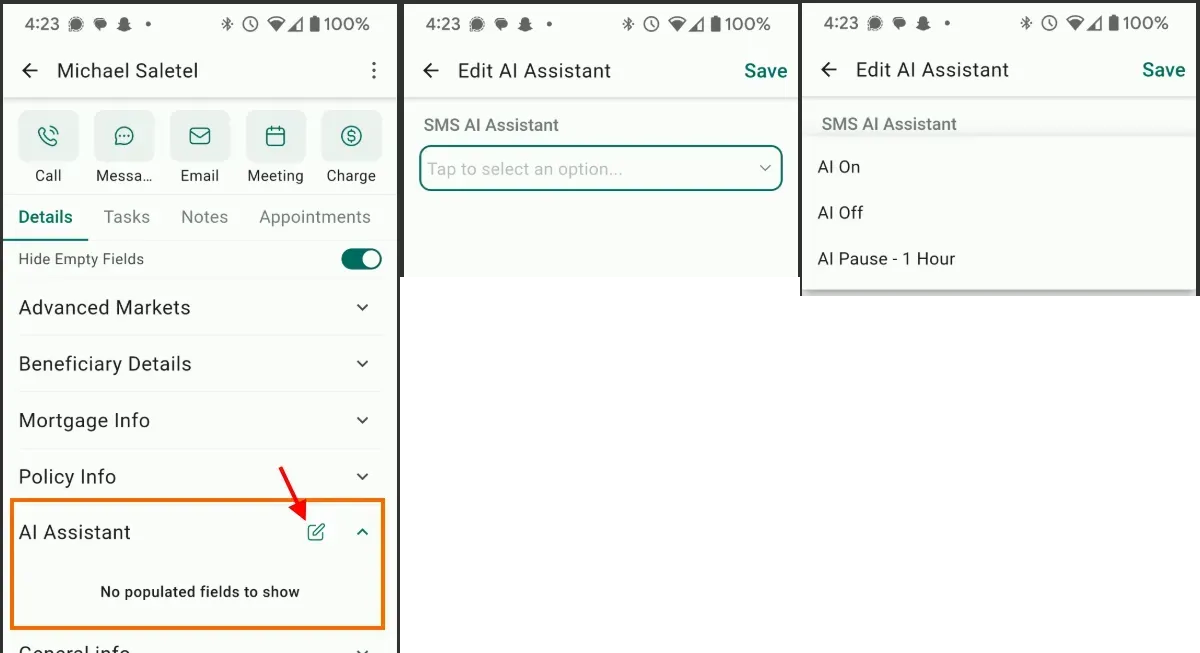
We’ve added a new field folder called AI Assistant right below Policy Info. The first time you access this on mobile you’ll need to click the little edit icon and it will give you the option to edit your SMS AI Assistant status which you can change to AI On, AI Off or AI Pause - 1 hour.
Note that some of the opportunity stages like New Leads, Older Leads and Booked / Appt Confirmation Reminders will automatically turn your assistant back on if you move a contact into that stage After you have turned your assistant off.
But this will enable you to easily put your assistant on pause on the mobile app while you are texting them uninterrupted.
You should choose the AI Pause - 1 Hour option if you want your AI assistant to continue monitoring and responding for you after you have left the conversation.

May 2, 2025
Opportunity Stage Updates in Relation To Booked Appointments
We’ve updated the opportunity stage order to put Cancelled and No-show appointments for leads BEFORE Booked appointments to show that a booked appointment is more important/valuable than a no-show or cancelled appt.
Also made updates so that Clients cannot move backwards into any of Booked, No-show or Cancelled stages. Instead they will stay in place in their client status but still receive the booked appointment reminders and the no-show/cancelled messages to get them rescheduled from where they are in their client stage.
April 22, 2025
DND automation
If the first message bounces due to landline or invalid number or the prospect replies stop to a text message, the lead will have a dnd still open tag added and be changed to dnd for sms status. It will now stay in the New Leads or 8 Days + Opportunity stages - instead of moving to DND still open, so that you are still able to call. Please check the User Provided Phone number field and switch that to the regular phone field if you find a different number there.
We also updated the DND still open smartlist to include these leads so you can easily call through them and disposition.
Tragedy or Life Event Response
Sometimes our leads are impacted by life events like the death of a loved one or a sick child or other personal emergency which means they are unable to attend their appointment or need some time unbothered by the drip messages.
In that situation your assistant will add a tag which moves them into manual follow-up (if they are in any of the lead, or appointment stages/workflows) and sends you a message letting you know to check on the situation and decide how/when to proceed.
February 21, 2025
Campaign Specific eBooks
To help build trust and encourage engagement, the drip workflow on behalf of you on day 3 will ask if they would like an ebook you put together about the type of life insurance they enquired about.
Then the next day you will automatically send them the link to the ebook.
The eBook message has also been created as a text snippet so you can manually send it any time you like as well. Note that it will fill in the campaign type before the word conversation.

The eBooks we have so far are:
Veterans - https://app.typeset.com/play/8R8E8
Final Expense - https://app.typeset.com/play/EZ9DN
Truckers - https://app.typeset.com/play/8R8E8
Mortgage Protection - https://app.typeset.com/play/8R9GE
Annuities - https://app.typeset.com/play/8YNWG
January 27, 2025
Appointment Confirmation Reminders
Updates to Appointment confirmation reminders:
Less messages when the appointment is tomorrow: skip the 24 hour reminder and the morning of appt reminder
If appointment is today: skip the morning of appt reminder
Updated the 1 hour before message to ask to confirmation then follow up if no response - goal to increase the show rateappt reminder
Dashboard Updates
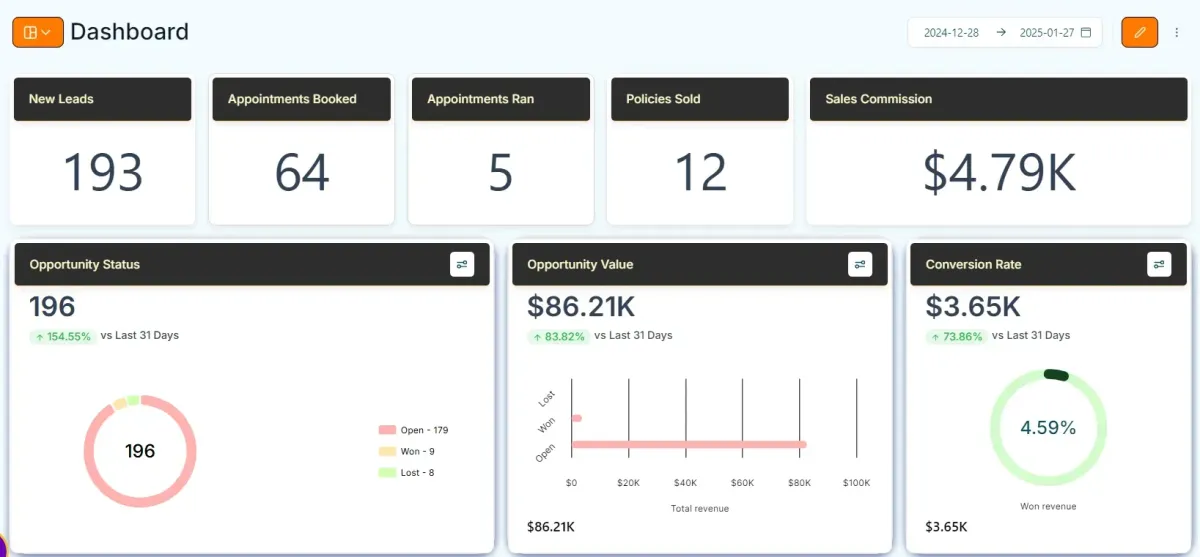
An updated dashboard with more useful metrics will be gradually rolled out over the coming weeks.
Dedicated Email Sending Domains
Just like for calling and texting, the industry is cracking down on email spam and it has been diagnosed that most spam comes from “free” email accounts. As a result, more and more emails from free email accounts like gmail, yahoo and hotmail are going to junk mail spam or promotional folders rather than to the inbox.
If you are currently using a free email account for sending emails in CASSI we will gradually be replacing that with a dedicated email domain such as: [email protected].
If you already own your own domain and or dedicated domain email address you would prefer to use, please contact CASSI support and we can integrate that into CASSI for email sending for you to improve your email deliverability rates.
Sold Client Messages
Updated the workflows which happen after a client is moved into Issued Approved - Closed Won Sold (including updating the name of this stage to make it cleared that this is when the policy is approved rather than when the first premium drawn or commission paid. Other changes/messages that are sent:
● Appointment outcome text now is sent 30 minutes after appointment start time
● Added new My commission field which is used to calculate your ROI in the updated reporting dashboard - see above.
● Below the submit button you can enter the policy information and check the box to send a policy summary via text and email to your client
● If the summary messages are NOT sent, they will instead get a nice text the next day thanking them for their trust in you and requesting they save your number for future.
● 1 week later they will receive a text and email checking if they received their policy packet, if they say no it will message you to check.
● 1 week more later if not received or no reply to 1st message it will check with them again and alert you if not received or no response.
● At 6 months, at 12 months and then annually thereafter they will receive a text and email to schedule a time for a policy review in the case they would like to add coverage, update beneficiaries, get a policy for someone else or refer someone else
December 13, 2024
Style based on last conversation or notes
December 10, 2024
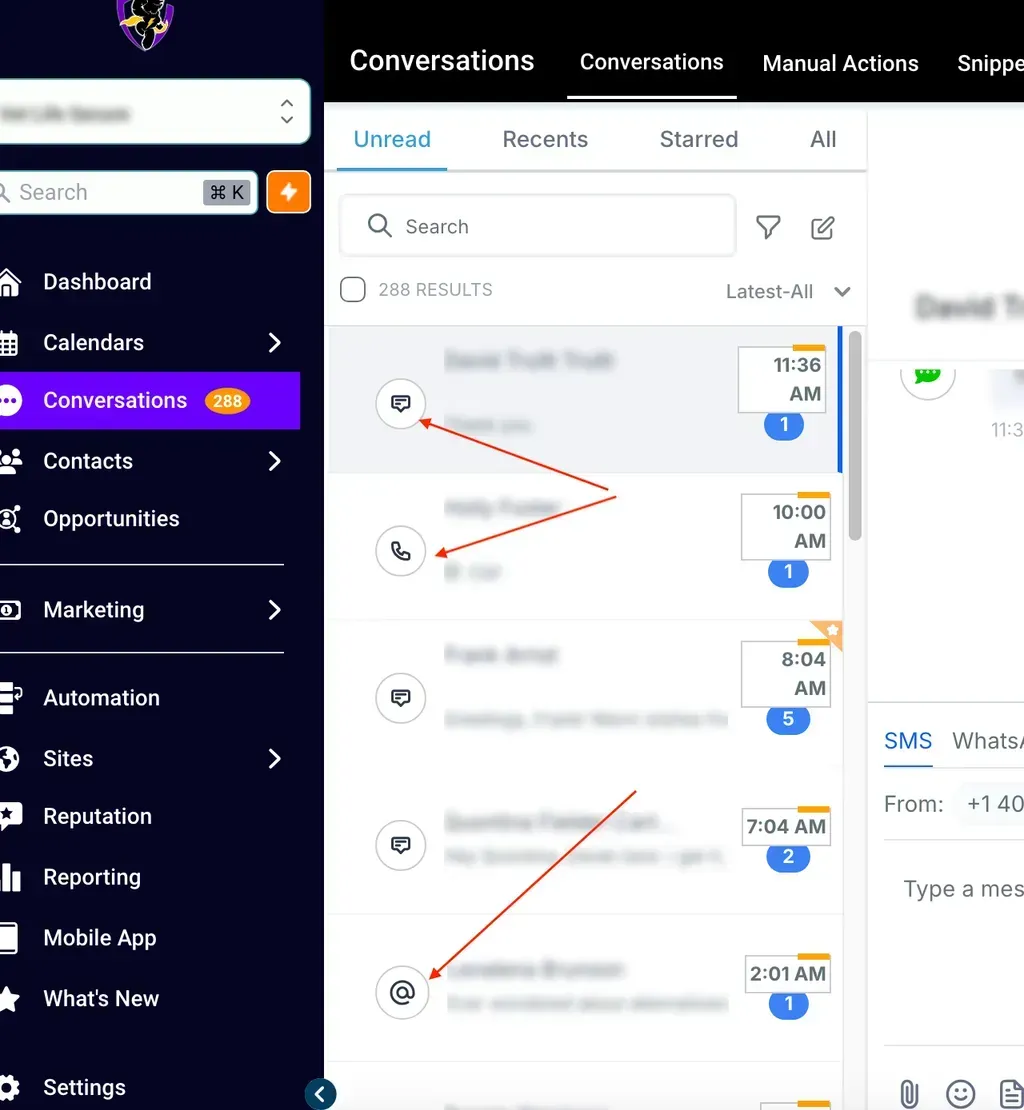
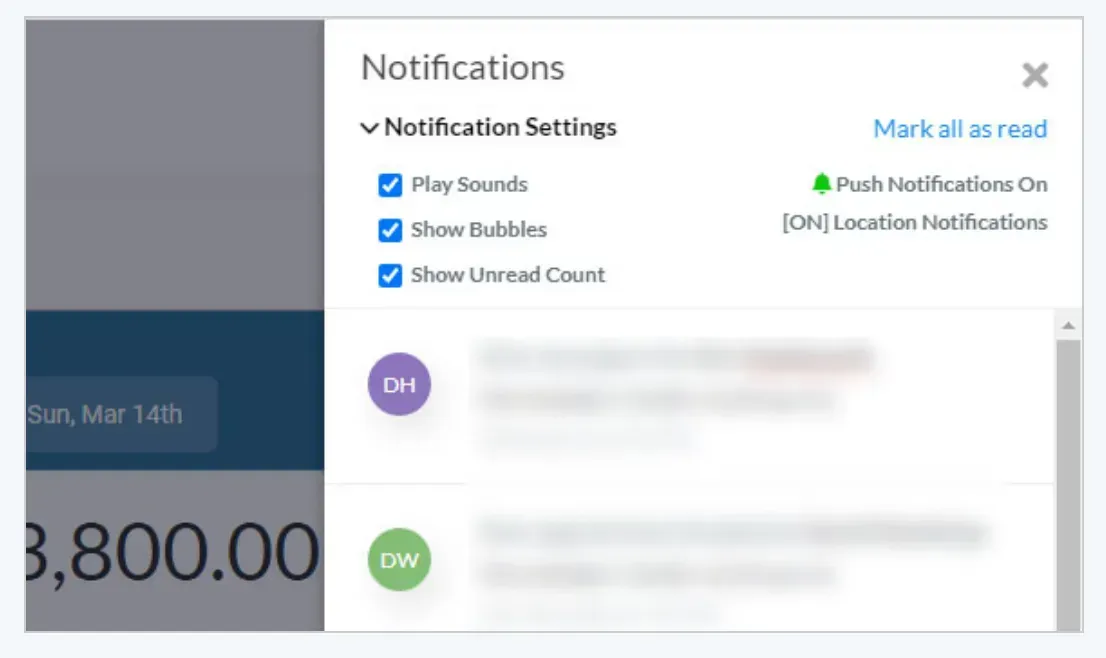
Add notification settings to allow for sounds, badges & message bubbles. Note: More notifications under the Title Tag setting.
November 28, 2024
Call Again disposition
A "Call again" option has been added to the Call disposition menu after you make a call through the CASSI phone dialler.
November 26, 2024
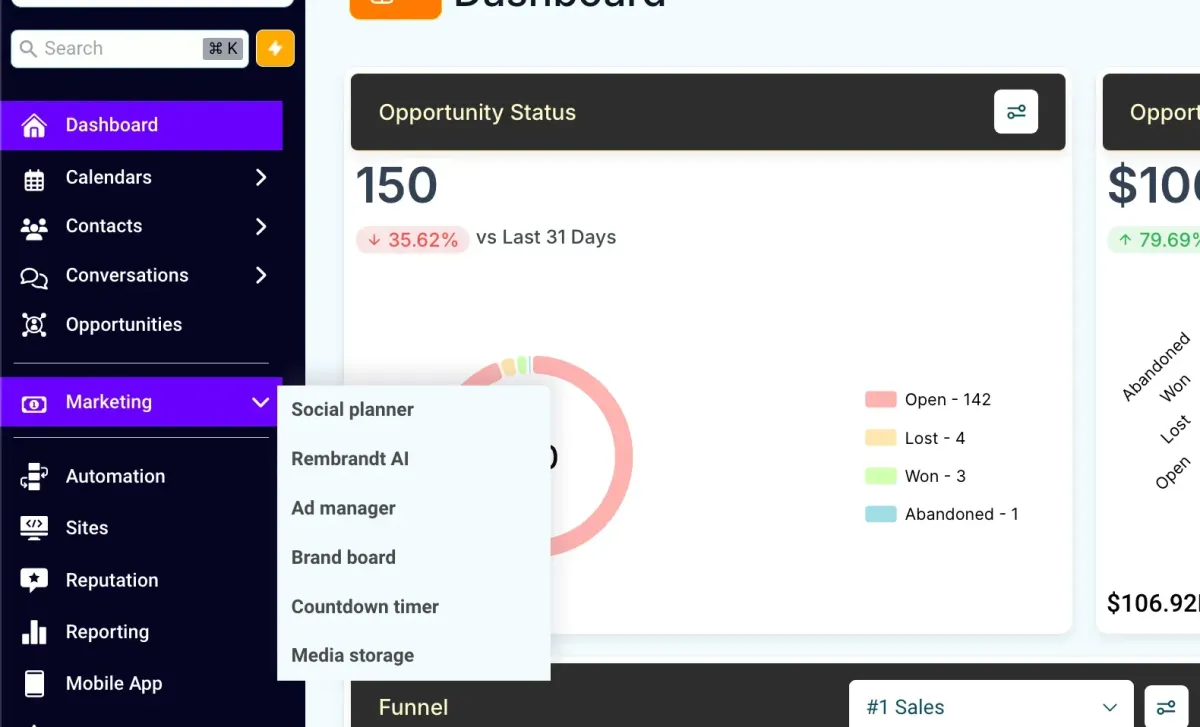
Menu rearranged
Improve UI for easier access. Getting ready for BIG thing
November 24, 2024
Post Sales Flow & Policy Review Reminders
Policy receipt check-in: 7 days after the policy is marked approved and issued they will receive a follow-up message checking if they have received their policy. If the response is negative you will be alerted to follow up. they will receive another message 7 days later checking again.
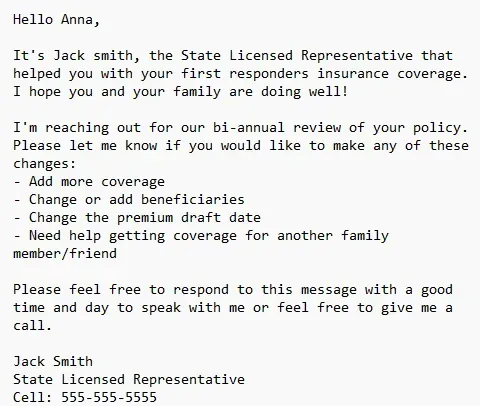
Bi-annual client check-in:The system now will now send an SMS to your client every 6 months to check in on how they are doing and ask if they would like updates, have referrals or need additional coverage.
There is also an option for this to be sent quarterly if you prefer for teams that are used to doing this. Just message support via the chat widget to enable this is you would like it.
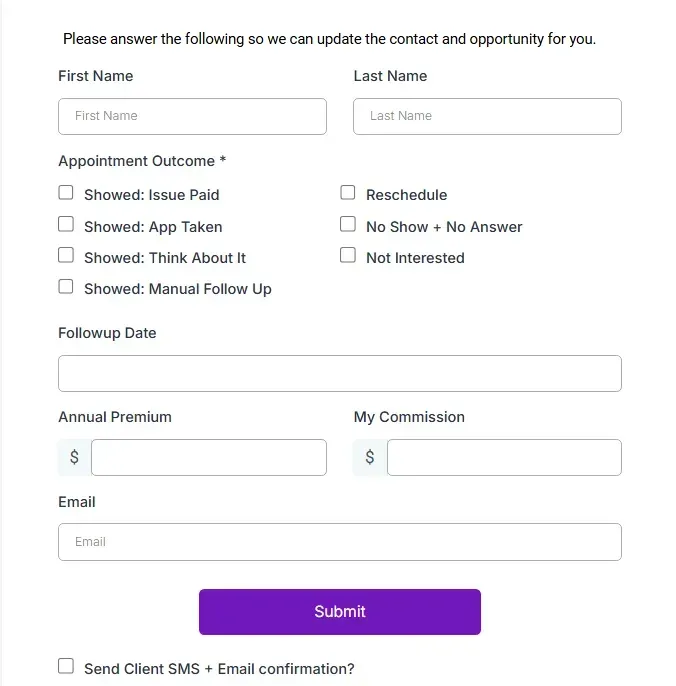
Appointment Outcome Form Updates
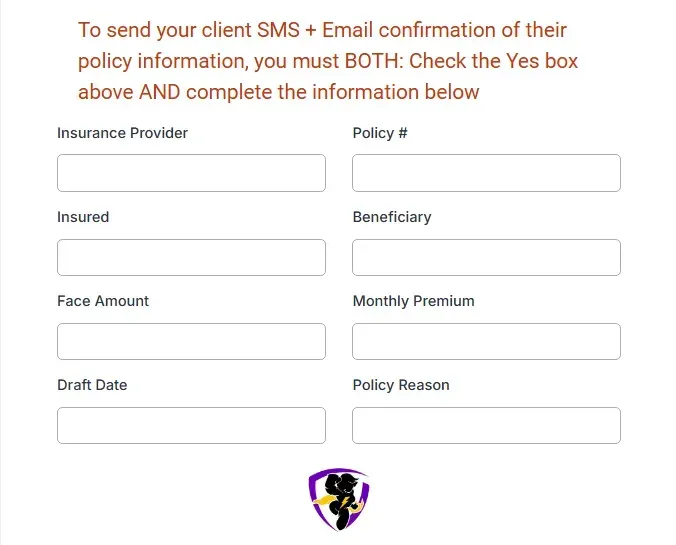
The system now can now send an email and SMS to your client confirming their policy information once the status is set to Issue Paid.
See below updated appointment outcome form. To send the email and sms make sure to complete ALL of the following:
● Showed: Issue Paid - Check box is checked
● Send Client SMS + Email confirmation? - Check box is checked
● Policy information fields at the bottom of the form - Are all filled - please note that if the 2 check boxes are filled, even if these fields are not, the sms and email will send with blank information.
November 3, 2024
New Automated Data Updates
The system now will automatically log and calculate the following:
● Age - Calculated from the Date of Birth when a new lead is created and updated every birthday. You can add this to older leads by adding the “age update” tag.
● Sold Date - Automatically is added when the contact is moved to either Application Take or Closed Won Issue Paid the first time.
●Days to Sale - Calculated from the Lead Age in days at on the Sold Date.
●Lead Age - is the number of days since the lead submitted the form.
Opportunity Pipeline Updates
The following updates have been made to the opportunity pipeline:
● Consolidated the Manual Follow-up and Freeze stages into a single stage for Manual Fup Freeze Automation No Bot - Anyone in this state will not get any automated text message or emails and also the AI assistant is not on. You will be responsible for all communication. You can use the Follow-up Date field in conjunction with the “Follow-up Date = Today” to remind yourself when to reach back out. You can also add the following tags to have the automation restart at the following times. Note that these will move them into the Timed Auto Followup stage and automatically start messaging them again in 2 weeks, 1 month or 2 months depending on the tag.:
● 2 weeks
● 1 month
● 2 months
● Added new stage: DND - Still Open - Previously any lead which submitted a land line or immediately replied Stop was automatically moved to Closed Lost - Not Interested. However numerous people have reported the desire to be able to see and contact them. Rationale: you still should call people with landlines and just because people’s knee jerk reaction is to opt out of text marketing, does not mean they don’t want to speak to you on the phone - especially for older leads.
August 24, 2024
Dark Mode
Designed for a more comfortable viewing experience, especially in low-light environments, Dark Mode reduces eye strain and enhances your focus. Switch it on in your settings and enjoy a sleek, modern interface that’s easy on the eyes.
How to turn it on: Click on your headshot icon top right to toggle between light and dark mode.
August 22, 2024
Mobile Friendly Guides & E-books
Automatic Mobile-Friendly E-Book Delivery!
Effortlessly provide your prospects with valuable insights and information right at their fingertips. Designed to enhance your engagement, build trust, and add real value to your prospects, the system will automatically send beautifully designed, mobile-friendly e-books directly to your leads, ensuring they have access to essential content anytime, anywhere. designed to enhance your engagement, build trust, and add real value to your prospects.
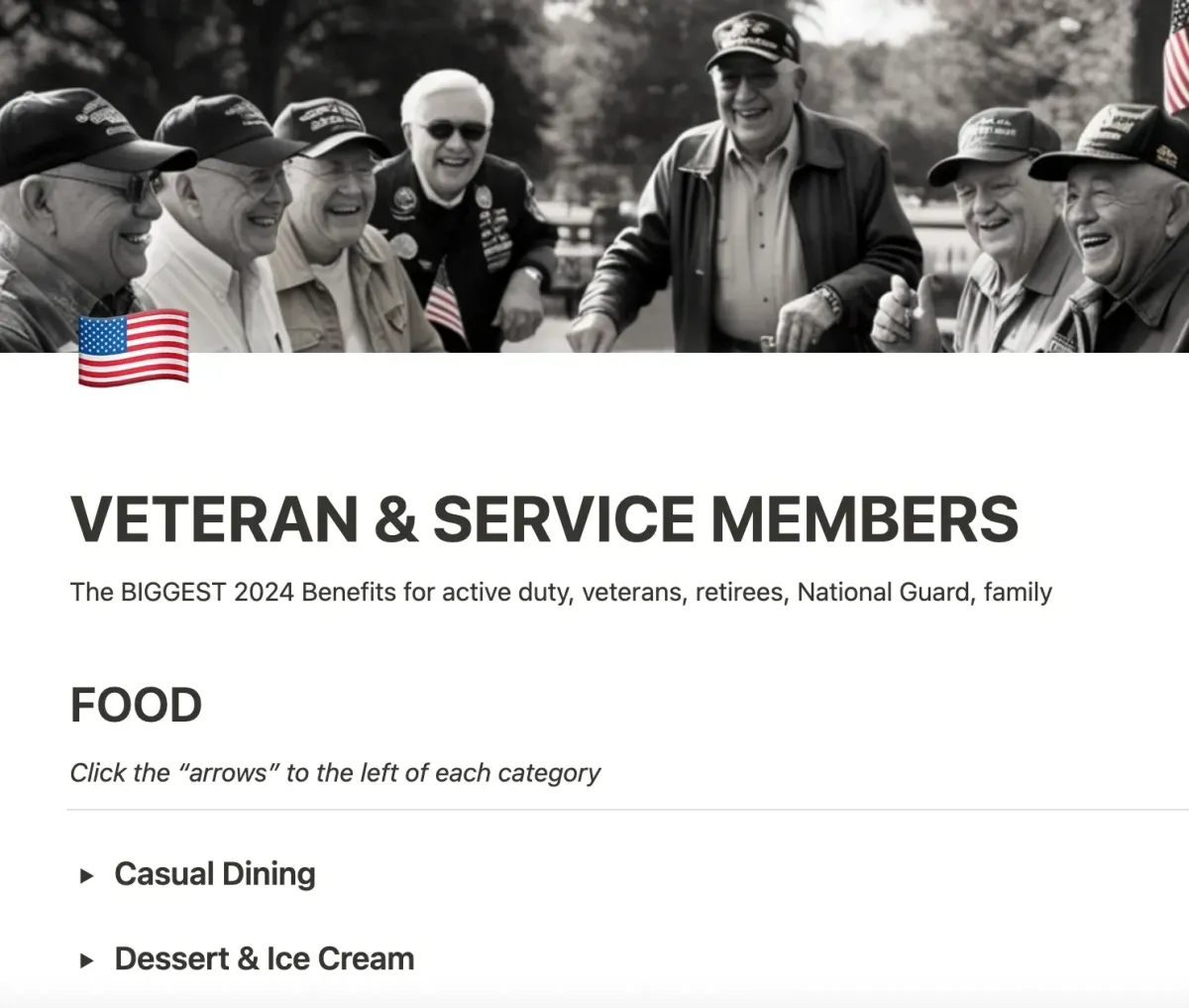
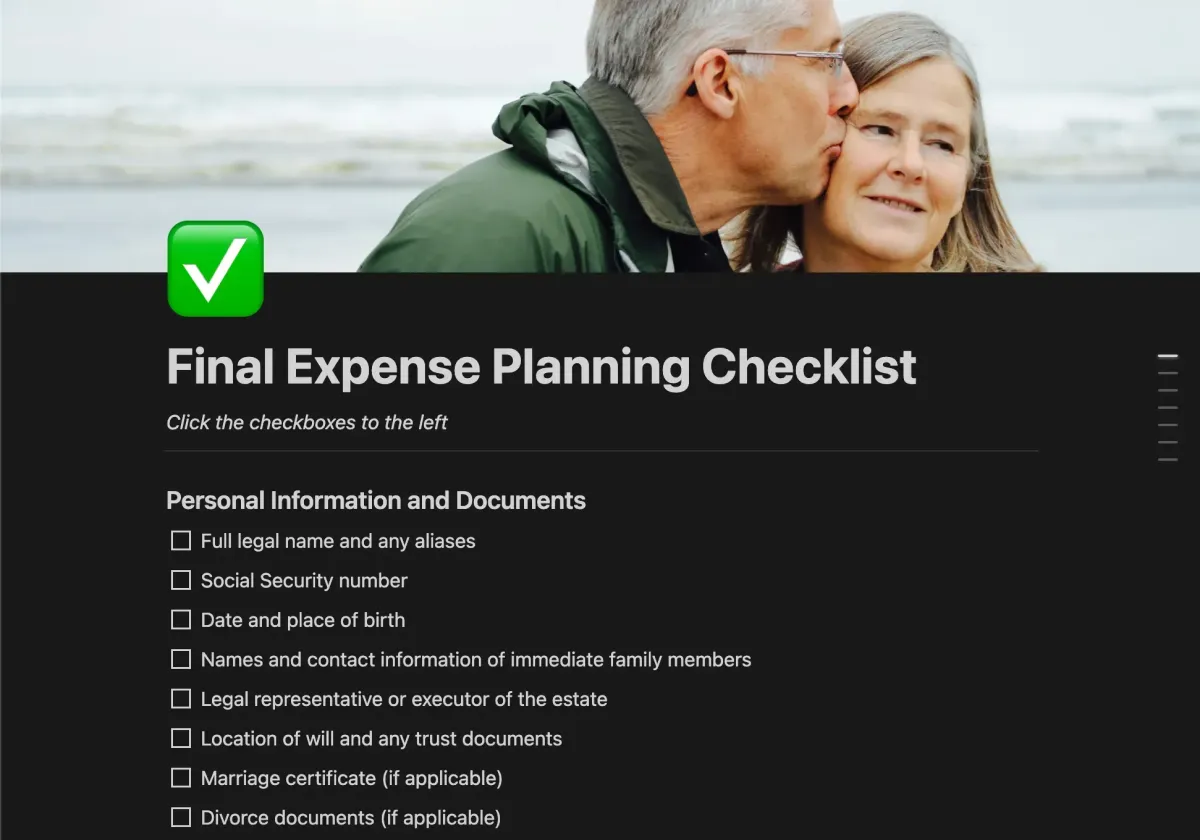
See content examples below
Veterans
Click the picture to see
Final Expense
Mortgage Protection